What size portable power station do I need? A simple sizing guide for outages
Most people buy a portable power station that is either too small to matter or far bigger than they need. You only need two numbers to get it right: how many watts your devices use, and how many hours you want them to run. This guide walks you through both, with real examples, so you can buy once and buy right.
Foxterr Power is reader supported. We may earn a commission when you buy through links on our site, at no extra cost to you. How we make money.
In this guide
- The two numbers that decide the size
- Step 1: list what must keep running
- Step 2: work out the capacity you need
- Step 3: check the output and surge rating
- Quick sizing guide by household need
- Plan how you will recharge
- Other things to check before you buy
- Worked example: a typical family outage plan
- Watts, volts and amps in plain words
- Common sizing mistakes
The two numbers that decide the size
Every power station lists two ratings. Capacity, measured in watt hours (Wh), tells you how much energy the battery holds. Output, measured in watts (W), tells you how much power it can deliver at one moment. Capacity decides how long things run. Output decides what you can plug in at all.
A station with huge capacity but low output cannot start a fridge. A station with high output but tiny capacity runs a fridge for an hour and dies. You need both numbers to match your home.
Step 1: list what must keep running
Start with needs, not wants. In most homes the outage list is short: the fridge, the internet router, a few lights, phones, and any medical device such as a CPAP machine. Here is what common devices typically draw while running.
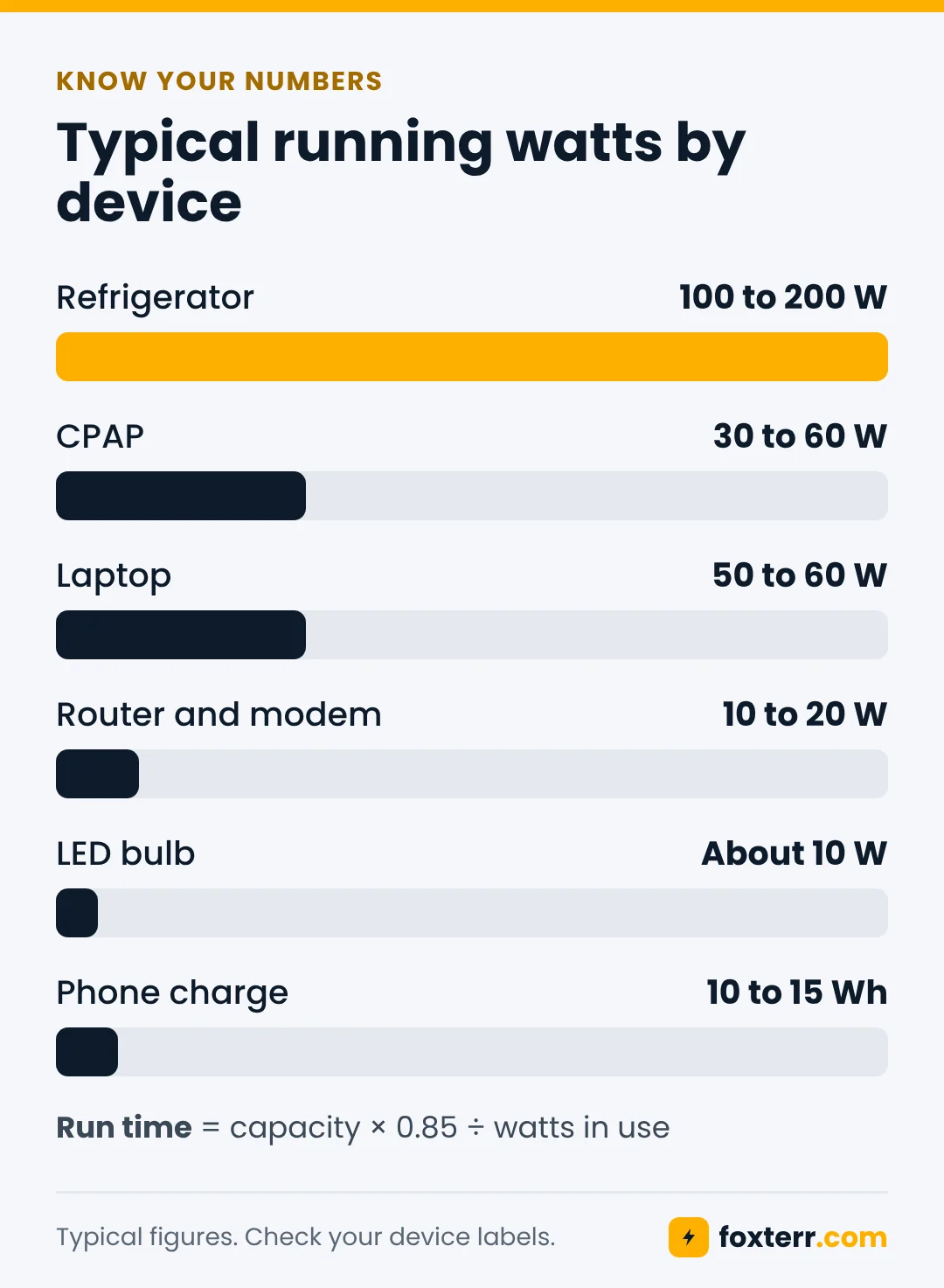
| Device | Typical running watts | Notes |
|---|---|---|
| Refrigerator | 100 to 200 W | Compressor runs only part of each hour |
| CPAP machine | 30 to 60 W | Much more with a heated humidifier |
| Laptop | 50 to 60 W | While charging |
| Router and modem | 10 to 20 W | Runs all day |
| LED bulb | About 10 W | Per bulb |
| Phone | 10 to 15 Wh per full charge | Use the USB ports |
Step 2: work out the capacity you need
Multiply the watts a device uses by the hours you want it to run. A 40 watt CPAP for an 8 hour night needs 320 Wh. A 15 watt router for 24 hours needs 360 Wh. Add up every device on your list.
No power station delivers its full rated capacity, because some energy is lost turning battery power into household AC power. Plan on getting about 85 percent. So the real formula is: run time in hours = capacity × 0.85 ÷ watts in use.
- 1,000 Wh station running a 100 W load: about 8.5 hours
- 500 Wh station running a 40 W CPAP: about 10.5 hours
- 2,000 Wh station running a 150 W mix of fridge, router and lights: about 11 hours
Step 3: check the output and surge rating
Add up the watts of everything that will run at the same moment. The station's continuous output rating must be higher than that total, with some room to spare.
Anything with a motor, like a fridge, freezer or sump pump, pulls a short burst of extra power when it starts, often two to three times its running watts. Check the station's surge or peak rating as well. A fridge that runs at 150 W may need 450 W or more for a second or two.
Quick sizing guide by household need
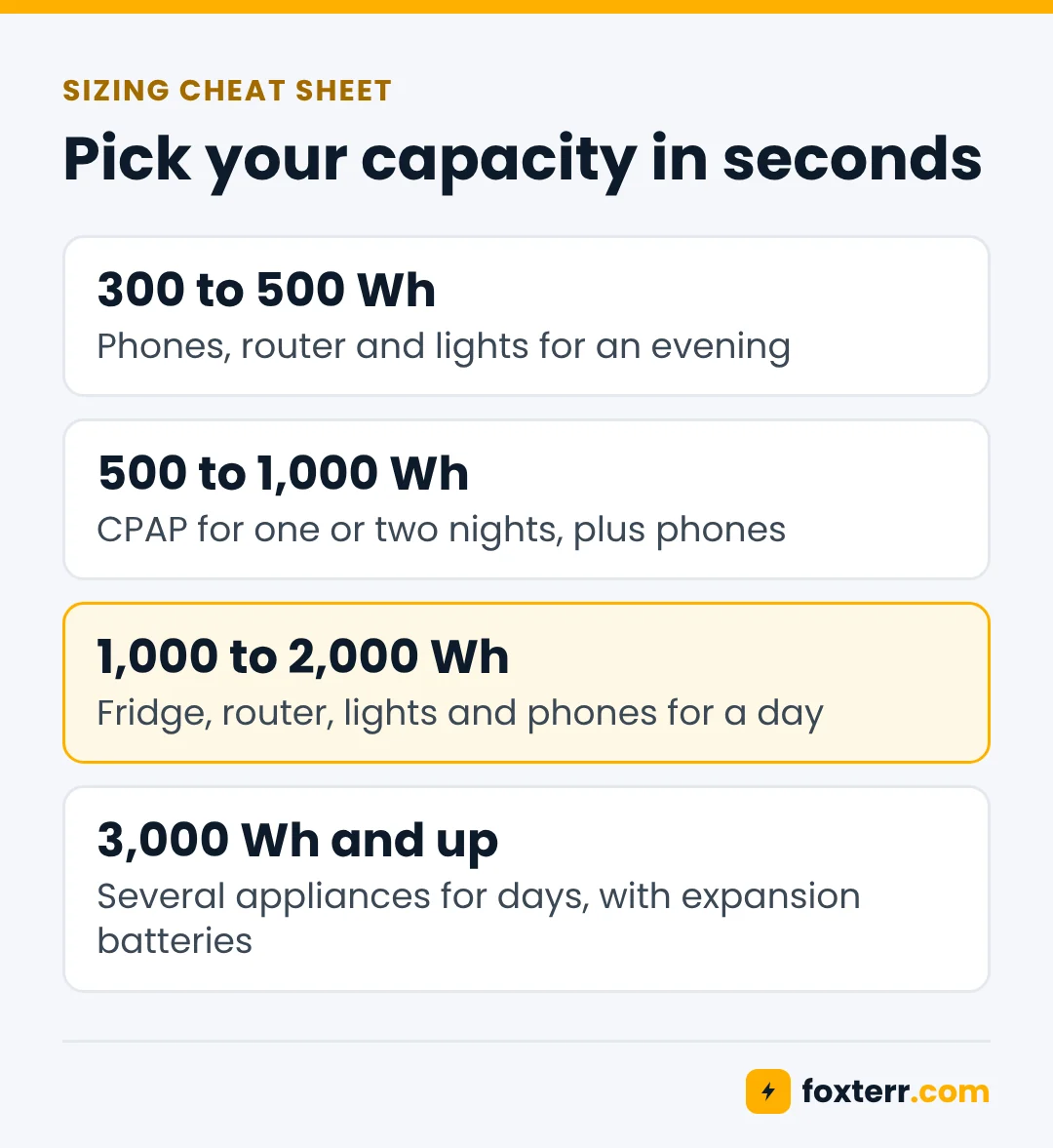
| What you want to power | Capacity to look for | Output to look for |
|---|---|---|
| Phones, router and lights for an evening | 300 to 500 Wh | 300 W or more |
| CPAP for one or two nights | 500 to 1,000 Wh | 300 W or more |
| Fridge, router, lights and phones for a day | 1,000 to 2,000 Wh | 1,000 W or more |
| Several appliances for days | 3,000 Wh and up, expandable | 2,000 W or more |
If your list includes heavy loads like a well pump or central air, compare a large home battery system with a gas generator. Our power station vs generator guide covers the trade offs.
Plan how you will recharge
For an outage longer than a day, the ability to recharge matters more than size. Solar panels are the usual answer. A 200 W panel in good sun produces very roughly 600 to 1,000 Wh in a day, and far less under cloud. Our solar generator guide shows how to match panels to a station, and NREL's free PVWatts calculator estimates solar output for your exact address.
Before you buy panels, check the station's maximum solar input in watts. A station that accepts more solar power refills faster.
Other things to check before you buy
- Battery type. LiFePO4 batteries last thousands of cycles. See LiFePO4 vs lithium ion.
- Pure sine wave inverter. Safer for medical devices, motors and sensitive electronics.
- Expansion port. Lets you add a second battery later instead of buying a new station.
- UPS or pass through mode. Keeps a device running while the station charges, and switches over fast when the grid drops.
- Weight. Stations over 1,000 Wh often weigh 25 pounds or more. Check that you can move it.
Once you have one, keep it charged and ready with our storage and maintenance guide, and work through the power outage checklist before storm season.
Worked example: a typical family outage plan
Here is how the math looks for a family that wants to keep the essentials going for one full day.
| Device | Use | Energy per day |
|---|---|---|
| Refrigerator | Cycled through the day | About 1,200 Wh |
| Router and modem | 15 W for 24 hours | 360 Wh |
| 4 LED bulbs | 10 W each for 5 hours | 200 Wh |
| 4 phones | One full charge each | 60 Wh |
| Laptop | 60 W for 3 hours | 180 Wh |
| Total | About 2,000 Wh |
Divide 2,000 Wh by 0.85 and you get roughly 2,350 Wh of rated capacity for a full day with no recharging. That family has three sensible options: a station of about 2,000 to 3,000 Wh, a 1,000 to 2,000 Wh station plus solar panels, or a smaller station with the fridge run in short cycles as shown in our fridge guide.
Watts, volts and amps in plain words
Some labels list amps instead of watts. The conversion is simple: watts = volts × amps. US household outlets run at about 120 volts, so a device rated at 1.5 amps uses roughly 180 watts at most. Labels usually show the maximum, so real use is often lower.
Common sizing mistakes
- Counting rated capacity as usable. Plan on about 85 percent.
- Forgetting the surge. Motors need two to three times their running watts to start.
- Sizing for wants, not needs. The coffee maker and hair dryer can wait.
- Ignoring recharging. For long outages, solar input matters as much as battery size.
- Skipping expansion. A station that accepts extra batteries grows with you.
Frequently asked questions
Is a 1,000 Wh power station enough for a power outage?
For most homes, yes for essentials over a day. A 1,000 Wh station can keep a fridge cold in cycles, run a router and lights, and charge phones for roughly 12 to 20 hours depending on use. For longer outages, add solar panels or choose 2,000 Wh or more.
How many watt hours do I need to run a refrigerator?
Most modern fridges use about 1,000 to 2,000 Wh a day. A 1,000 Wh station runs a typical fridge for roughly 12 to 20 hours. See our fridge guide for ways to stretch that.
What is the difference between watts and watt hours?
Watts measure power at one moment. Watt hours measure energy over time. A 100 W device running for 10 hours uses 1,000 Wh.
Can a portable power station run my whole house?
Not a typical portable unit. Whole home backup usually needs 5,000 Wh or more, high output, and a transfer switch installed by a licensed electrician. Portable stations are best for essentials.
How do I calculate how long a power station will last?
Multiply the capacity in watt hours by 0.85, then divide by the watts your devices use. A 1,000 Wh station running 85 W lasts about 10 hours.
Should I buy a bigger power station than I need?
A little headroom is smart, about 20 to 30 percent. Beyond that, extra capacity adds weight and cost. A station with an expansion port lets you add capacity later instead.
This article gives general information only. Always follow the safety instructions for your own equipment, and ask your doctor or equipment supplier about any medical device.